
LumiWright for creators

Make the work you imagined.
Build a practice you can sustain.

You bring the expertise, story and voice. We bring the whole production workflow together, from marketing intelligence and research to voice, video, animation, avatars, publishing and feedback, so you can finish, publish and keep creating.

An educator recording a technical lesson in a warmly lit studio
One subscription. Your vision, amplified.

See what you can make

Four ways to turn your expertise into finished work.

An educator shaping a manuscript and a visual course at a home-studio workbench

Experts and educators

Expert to Product

Turn what you know into something people can learn from and buy.

A course, guide or workshop with its supporting materials and a launch campaign, grounded in material you trust. In the workspace: Course Builder, Study Pack, Slides and Quizzes.

  • Course
  • Lessons and quizzes
  • SCORM export
  • Slides
  • Study pack
  • Launch campaign
An author shaping a manuscript into several publishing formats

Authors

Book to Readers

Turn an idea or a draft into a finished book that reaches readers.

Development, editing, design, publication preparation and launch, with your voice and decisions carried through every chapter. In the workspace: Book Studio, Newsletter, Lead Magnet and Landing Page.

  • Positioning and outline
  • Structural and line editing
  • Design and export
  • Lead magnet
  • Launch
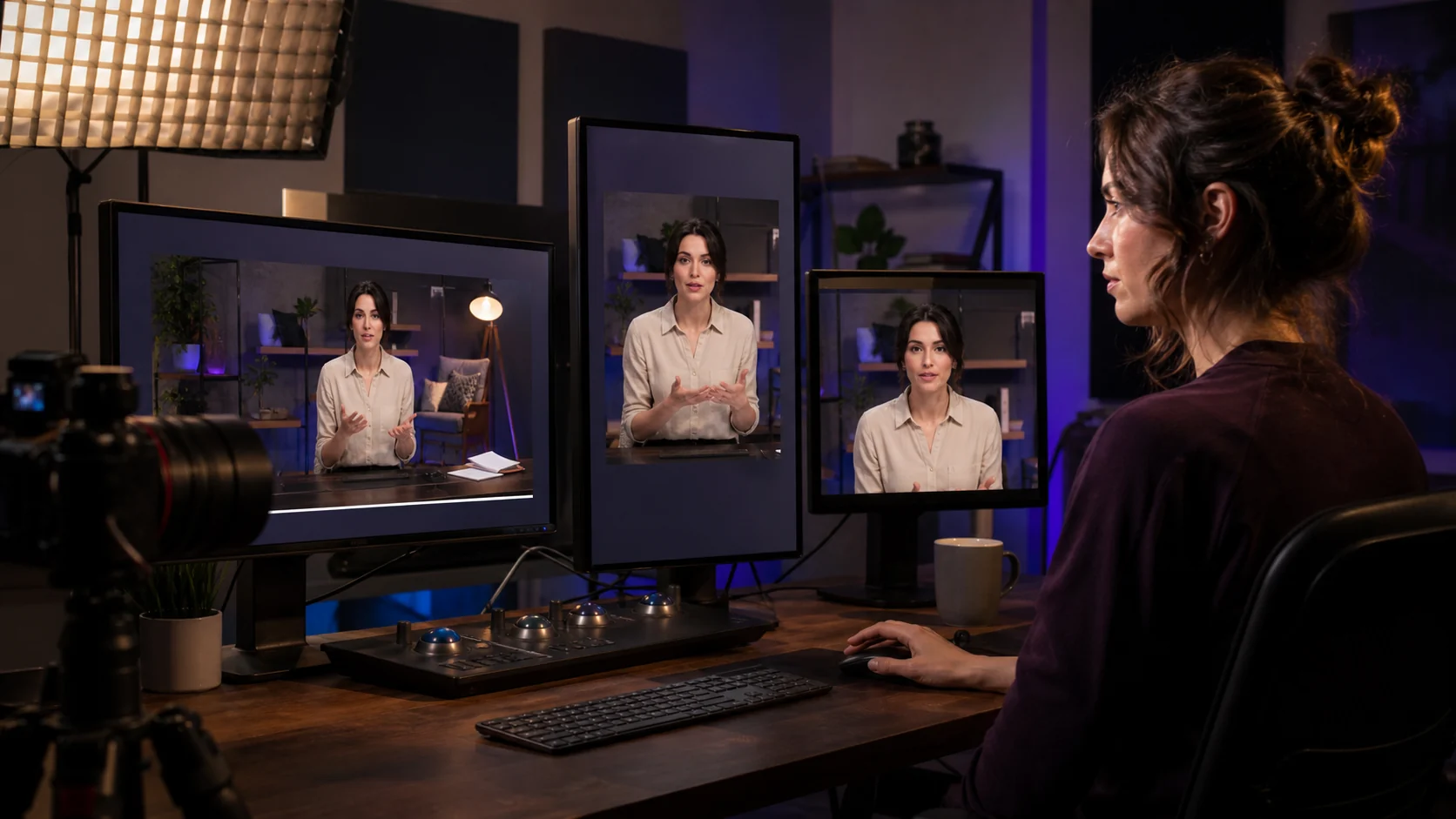
A video editor reviewing landscape, portrait and square versions of one lesson

Video creators

Channel Studio

Build a recognisable channel without managing every production handoff.

Planning, video, voice, animation, avatars, editing and publishing in one place, then performance learning that feeds the next episode. In the workspace: Animation Studio, Video Editor, Repurposing Studio and Presenter.

  • Long-form episode
  • Vertical and square cuts
  • Voice
  • Animation
  • Presenter avatar
  • Captions
A creator building a responsive page and assets in a unified workspace

Agencies and creative teams

Creator Studio

Deliver more client work while preserving each client's identity.

Connected briefs, brand assets, production, approvals and delivery, so every client's voice stays distinct as your team scales. In the workspace: Brand Kit, Design Studio, Code Studio and Social Pack.

  • Client briefs
  • Brand kits
  • Production
  • Approvals
  • Delivery
  • Landing pages

Flagship studios

See the value at a glance.

Repurpose

One long episode. A clip for every channel.

The Repurposing Studio finds the moments worth sharing and cuts them to each channel's shape, captioned and on brand, ready for your approval.

Tell

One idea. A story people remember.

The Storyteller shapes your idea into a narrative with a hook, a turn and a clear call to act, then carries it into storyboard, narration and film.

The presenter in a wide studio shot
Wide
The same presenter in a medium shot
Medium
The same presenter in a close-up
Close-up

Present

Your presenter, whenever you need one.

Bring your own presence to a lesson in Lumi Explainer Studio. Compare the presenter version with your accepted lesson, keep the result you like, export it, or undo the change.

  • Your presenter, your consentyour consented portrait alongside the lesson, with a visible disclosure and a version you review before accepting
  • Multiple anglesComingwide, medium and close-up shots from one recording
  • Accurate lip-syncComingspeech and mouth movement in agreement through the selected provider
  • Voice-matched emotionComingdelivery and gesture that follow the script's intent

Explore the presenter preview and upcoming modes →

The complete workflow

From audience insight to finished work, and back again.

Most creators juggle separate tools for each step. Here one idea travels the whole journey, and what your audience tells you feeds the next piece.

  1. Marketing intelligencewhat your audience needs, asks and responds to
  2. Research and ideationverified sources, ideas and structure
  3. ProductionLumi explainers, writing, narration, avatars and video editing
  4. Reviewquality, accuracy and your voice, approved by you
  5. Deliverybooks, courses, episodes and campaigns
  6. Distribution and feedbackpublishing, analytics and the next decision

Assistant and Delegation help coordinate the brief, production and review. Your approval connects creation to distribution; audience feedback informs what you improve next.

A creator reviewing research evidence and choosing the next content opportunity

Begin before the blank page

Bring audience signals together with verified sources, and choose the idea worth making before production starts. In the workspace: market intelligence, Scout, Deep Research and Second Brain.

A creator approving a multi-format campaign and reviewing audience response

Publish, then learn

Release to your channels with your approval, then see what landed: engagement, comments and inbound interest return as insight for the next piece.

One subscription

One creative workflow instead of five subscriptions.

Bring voice, video editing, animation, presenters and scheduling into one workspace, with the provider accounts and usage you choose.

The purchase

Choose how you create

A subscription for ongoing creation, or a defined project with production help. Included capacity, revisions, support and usage are stated clearly. Bring your own model keys or use included usage, with an understandable total cost.

Request an invitation

Why creators choose us

Your voice and your decisions travel with the project.

You spend less effort coordinating tools and more time shaping work you are proud to release. Nothing is published without your approval, and every source and version stays connected to the work.

Because of this, I can turn what I know into valuable work without a studio-sized team.

For creators

Make the work you imagined.

Tell us the course, book, channel or client work you want to make. We will set up your first project with you.

Request an invitation

Your vision.
Amplified.